
Harness the influential power of customer reviews by claiming your business profile on Yelp — an essential step in modern business marketing. This easy-to-follow guide shows you how to set up your Yelp profile in minutes, making your business more visible and trustworthy to potential customers.

Your Business Deserves to Be Heard — And Yelp Can Help
In an era where reviews significantly influence consumer choices, Yelp stands as a robust platform for connecting businesses with customers. Not only can Yelp shape the first impression someone has of your business, but it also acts as a tiebreaker in decision-making. If your business isn’t on Yelp yet, you’re missing a valuable opportunity for visibility and customer trust.
Important Note Before Starting: Ensure you have a verifiable phone number that can be listed publicly, as Yelp requires this for account validation.
Step-by-Step: How to Claim Your Business on Yelp
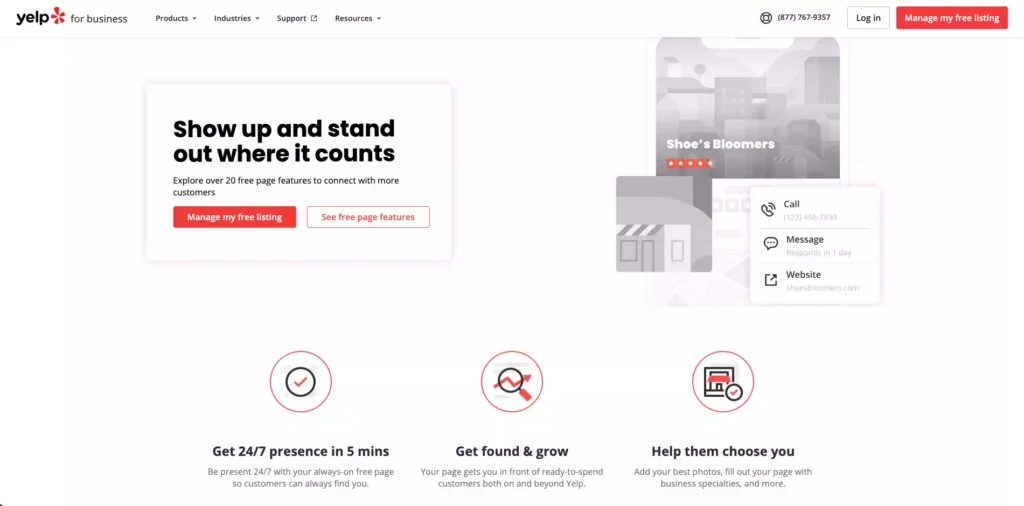
1. Navigate to Yelp for Businesses
Visit the Yelp for Businesses website and click on “Manage my free listing.”
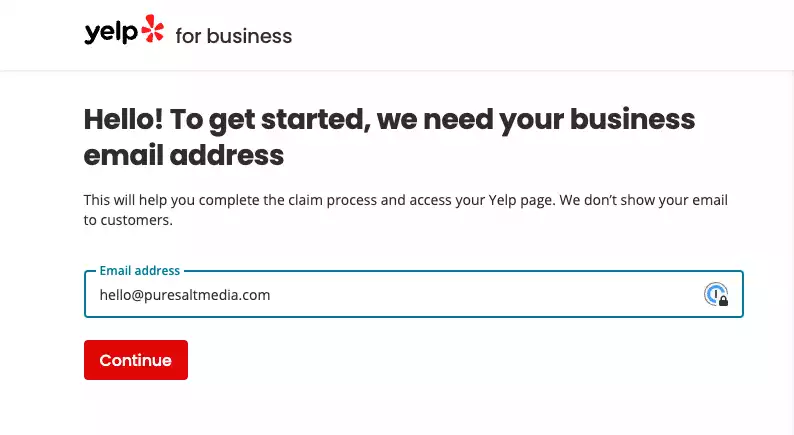
2. Begin With Your Business Email
Type in your professional business email and click “Continue.”
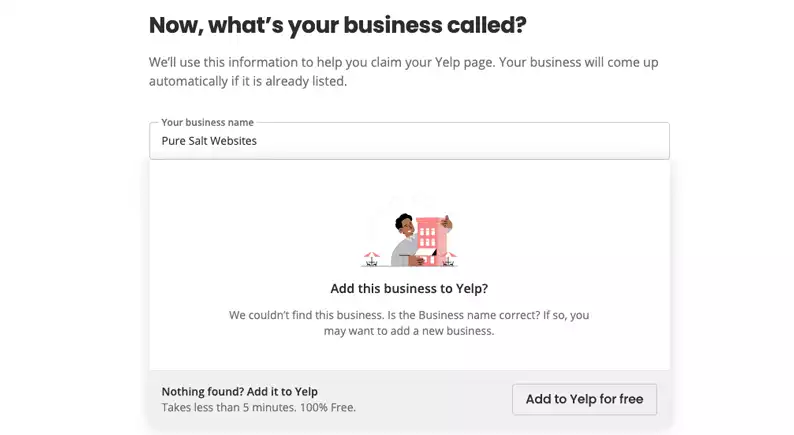
3. Search for Your Business
Enter your business name into the search bar.
- If it appears: It means a Yelp profile already exists for your business.
- If it doesn’t: Click “Add to Yelp for free” to proceed.
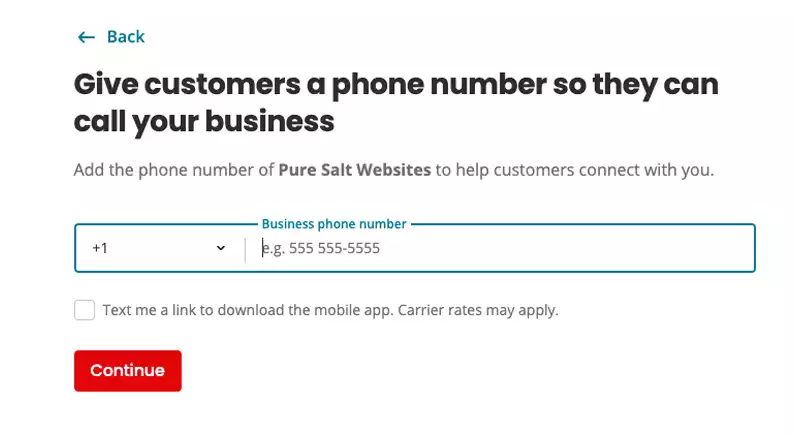
4. Verify with Phone Number
You’ll need to provide a phone number, which will be used for account verification and displayed on your public Yelp profile.
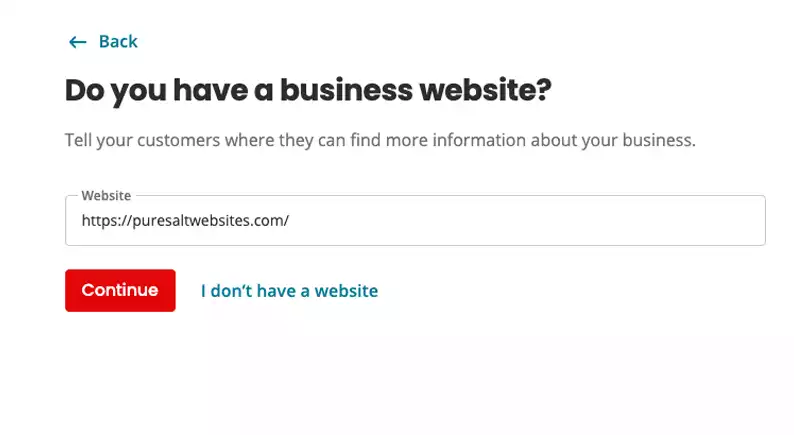
5. Consider Adding Your Website
While not required, it’s recommended to include your business website. The ultimate goal is to direct potential customers to your site.
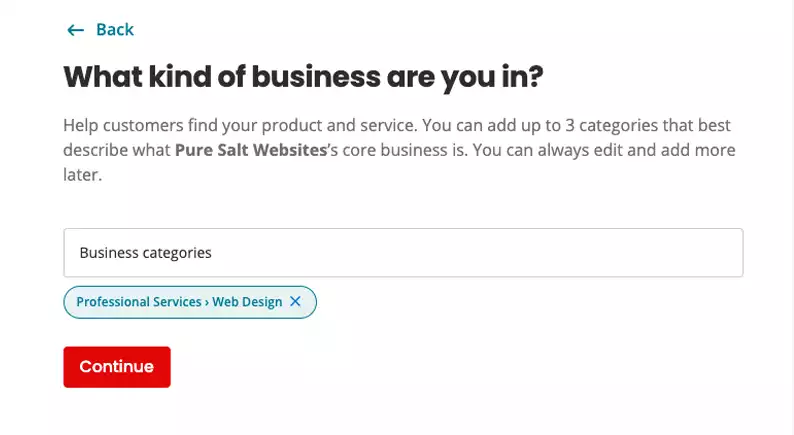
6. Identify Your Business Categories
Tagging your business under relevant categories helps Yelp guide users who are looking for the services you offer to your profile.
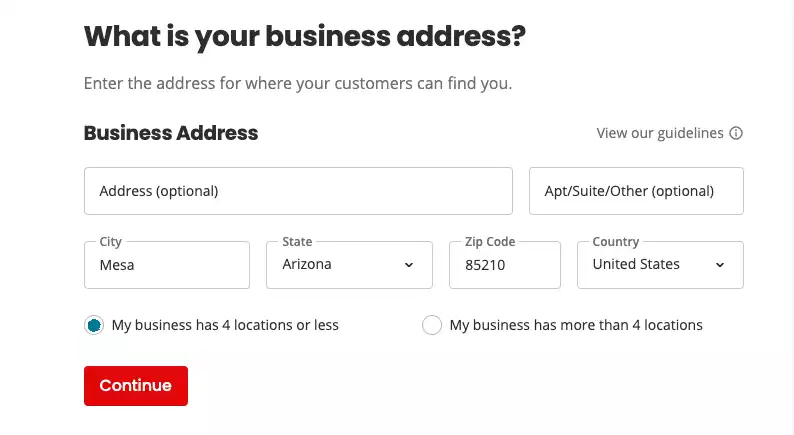
7. Provide Location Details
List your city, state, zip code, and country. If you don’t have a specific street address or offer services on-the-go, Yelp allows you to skip that field.
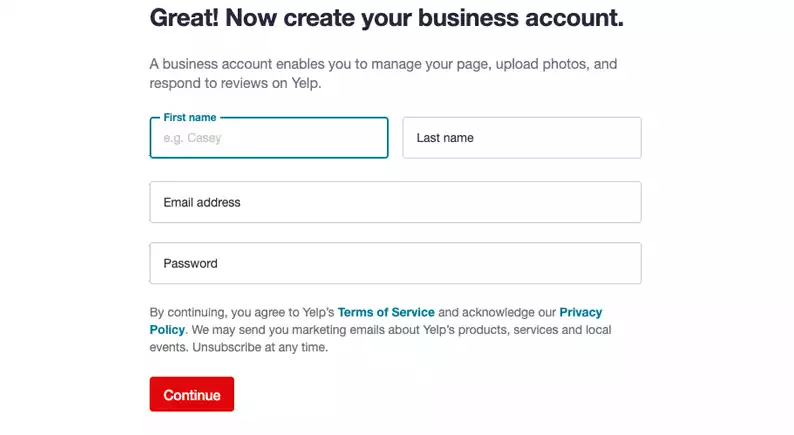
8. Create Your Yelp Account
Set up your account using an email and password or link it to an existing Google or Facebook account. These credentials will help you manage your profile in the future.
9. Verify Contact Details
You’ll receive verification codes via the phone number and email you provided. Once confirmed, your listing will be submitted to Yelp for approval.
Once approved, your Yelp profile will be visible to the world, ready to garner reviews and increase customer trust.
Leverage the Power of Reviews
After your listing goes live, encourage your satisfied customers to write reviews. This not only boosts your business’s credibility but also has a significant influence on potential customers.
How We Can Amplify Your Review Game
Earning consistent, positive reviews is no small feat, but it’s crucial for any business aiming to thrive in the modern marketplace. We offer comprehensive services for our local partners, including a strategic plan for gathering more impactful online reviews. Contact us today to learn more.