
For those new to the term, SEO (Search Engine Optimization) is a set of strategies and practices to enhance a website’s visibility on search engines like Google, Bing, and Yahoo. In simpler terms, it’s ensuring your business appears when potential customers type relevant keywords into a search box.
Why Is SEO Important for My Business?
While the online arena is vast and teeming with countless websites, SEO ensures that your website doesn’t get lost in the vast ocean of the internet. For local businesses, in particular, SEO isn’t just about global reach; it’s about being found by your local community.
Think of the last time you searched for a nearby restaurant, dentist, or boutique. The businesses that appeared at the top of your search results likely have a strong SEO strategy in place. They understand that in a world where the majority of consumers first turn to search engines for recommendations, ensuring a prominent online presence isn’t just beneficial — it’s essential.
Whether you’re running a global enterprise or a cozy corner cafe, SEO plays a pivotal role in connecting with your target audience, driving traffic, and boosting sales.
The Difference Between Organic and Local Search
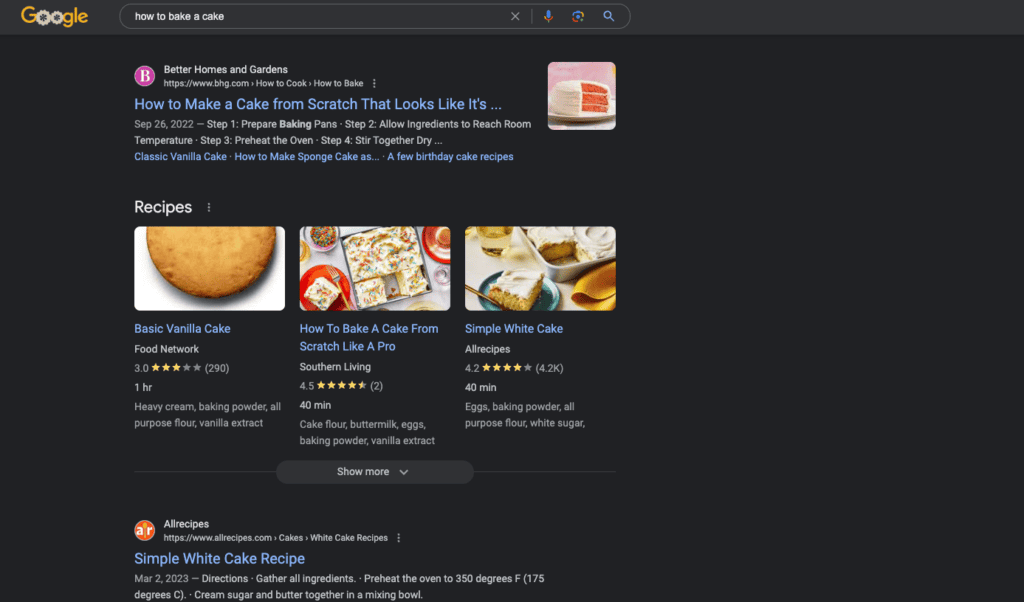
When you type something into a search engine, you’re likely to see two main types of results: organic and local. Organic search results are the general list of websites that match your query based on relevance, content quality, and many other factors. They aren’t necessarily tied to a specific location.
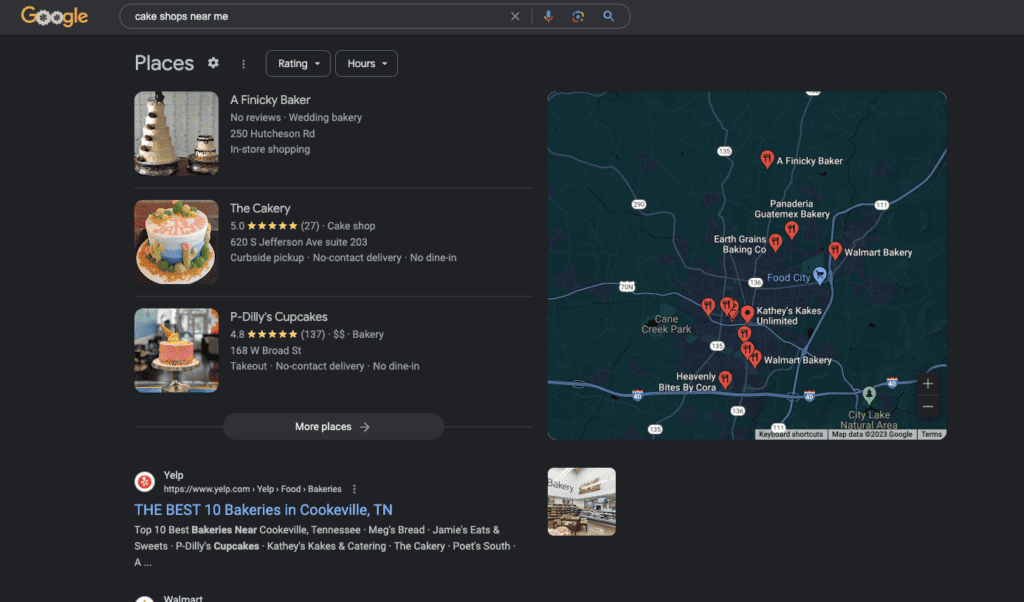
Local search results are specifically tied to businesses or services near you. If you search for “cake shops near me,” the search engine will display a list of bakeries and cake shops in your vicinity, often accompanied by a map, reviews, and contact information from their Google Business Profile.
In this article, we’ll explore ways to increase your organic search traffic. If you’re interested in local search specifically, check out our article on why local SEO is essential for small businesses.
What is On-Page SEO?
On-page SEO refers to all the elements directly on your website that you have control over — from the written content and images to the headlines and meta descriptions. It’s the digital equivalent of a well-organized store, ensuring that search engines can easily understand, index, and present your website to users.
Title Tags
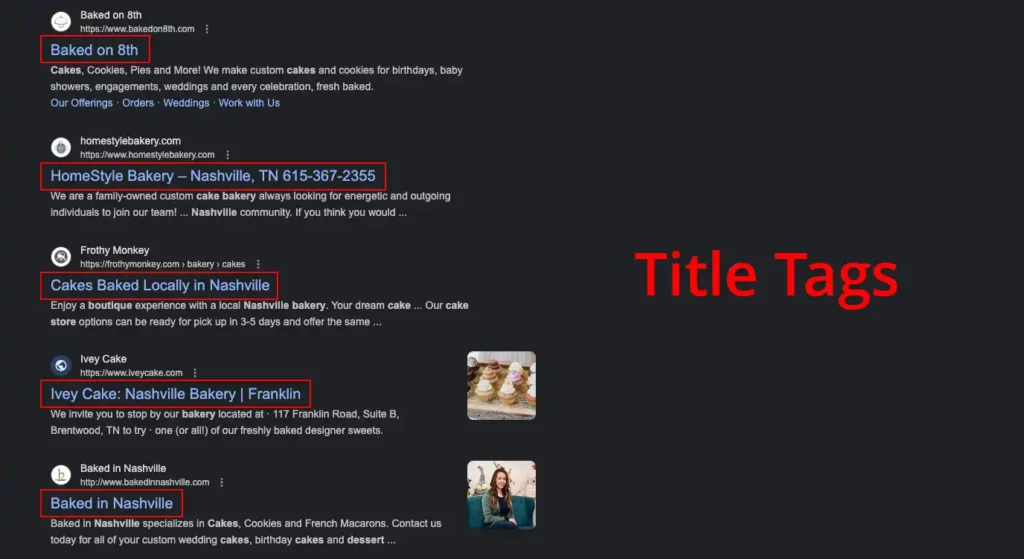
A title tag is the main text that describes an online document. It’s often the first thing people see in search results, typically displayed as the clickable headline for a given result.
Title Tag Best Practices
- Keep it concise, typically between 50–60 characters.
- Make sure it’s relevant to the content and includes a primary keyword.
- Avoid keyword stuffing; make it readable and natural.
Meta Descriptions
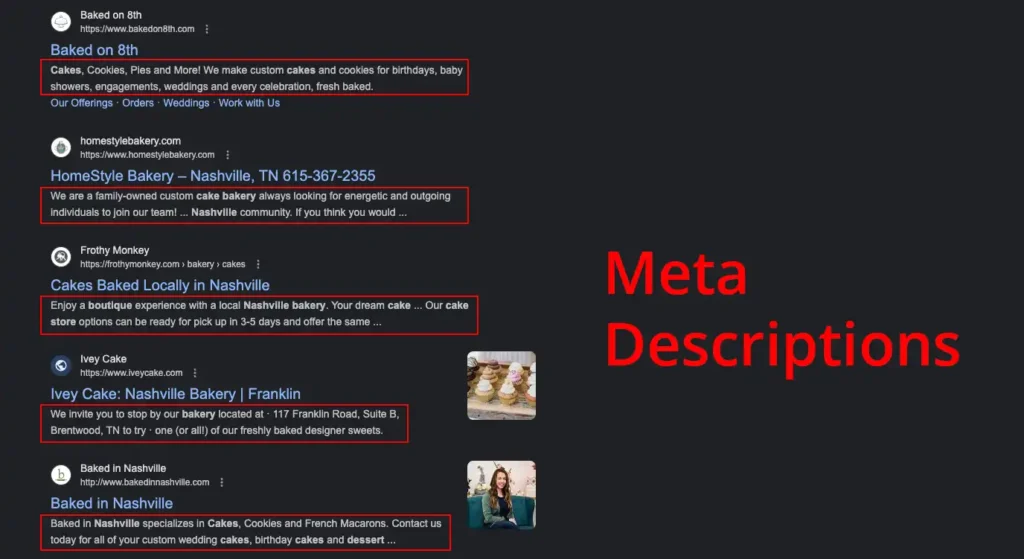
The meta description is a brief summary (typically up to 160 characters) that describes the content of a webpage. While it doesn’t directly influence rankings, an effective meta description can increase click-through rates.
Meta Description Best Practices
- Summarize the content’s main point.
- Include relevant keywords, but avoid stuffing.
- Write it in a way that encourages users to click.
Header Tags
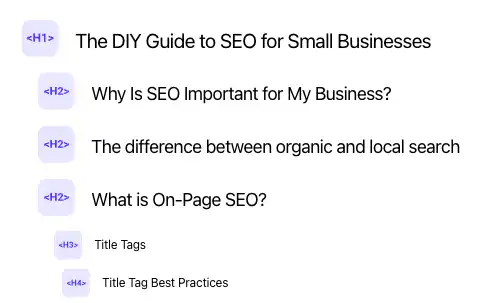
Header tags, ranging from H1 to H6, are used to structure content on a page. The H1 represents the main heading, while H2s, H3s, etc., break down topics further.
Header Tag Best Practices
- Use only one H1 per page.
- Use headers hierarchically (H2s before H3s).
- Include relevant keywords but ensure headers remain descriptive and natural.
Keyword Optimization
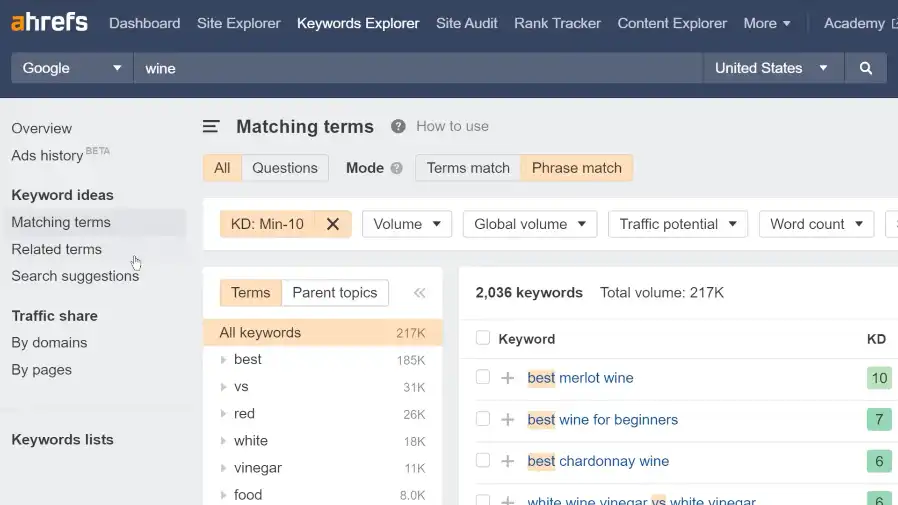
Keyword optimization is researching and selecting the right keywords and then using them appropriately within your content.
Keyword Optimization Best Practices
- Research keywords using tools like Ahrefs Keywords Explorer.
- Ensure content relevance by choosing keywords that match your topic.
- Distribute keywords naturally; avoid excessive repetition.
Content Quality
The quality of the content you produce directly impacts how both users and search engines perceive your site.
Content Quality Best Practices
- Well-researched and factual.
- Original and free from plagiarism.
- Written to engage and provide value to the reader.
Internal Linking
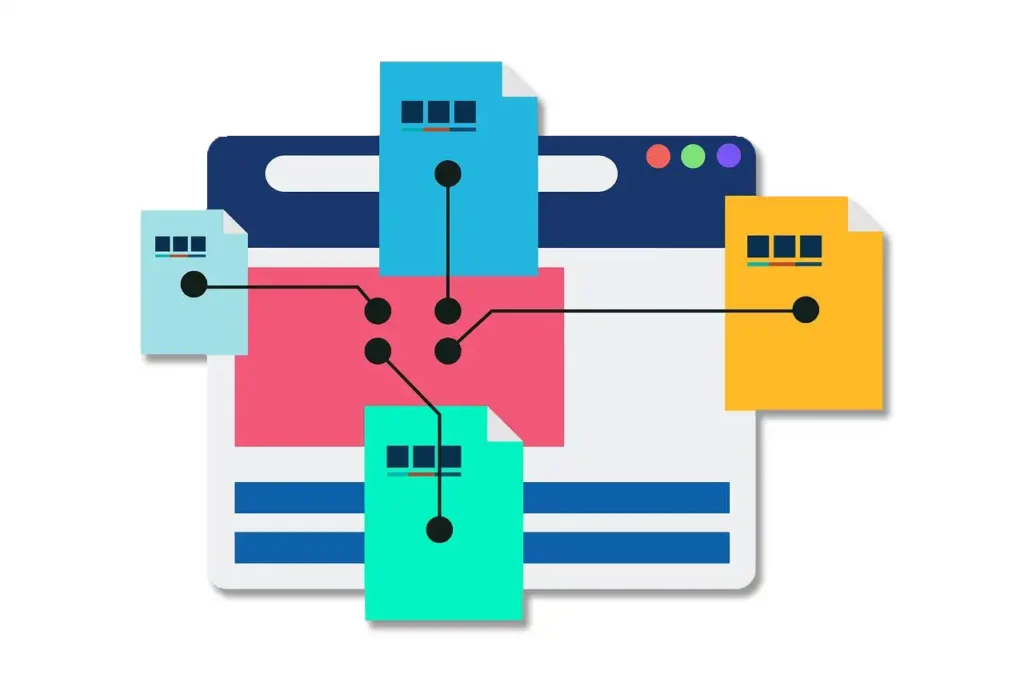
Internal linking refers to hyperlinks that point to other pages on the same website. It’s a way of guiding visitors from one relevant topic to another.
Internal Linking Best Practices
- Link to related content that readers might find beneficial.
- Use descriptive anchor text for links.
- Avoid excessive internal linking; keep it meaningful.
Image Optimization
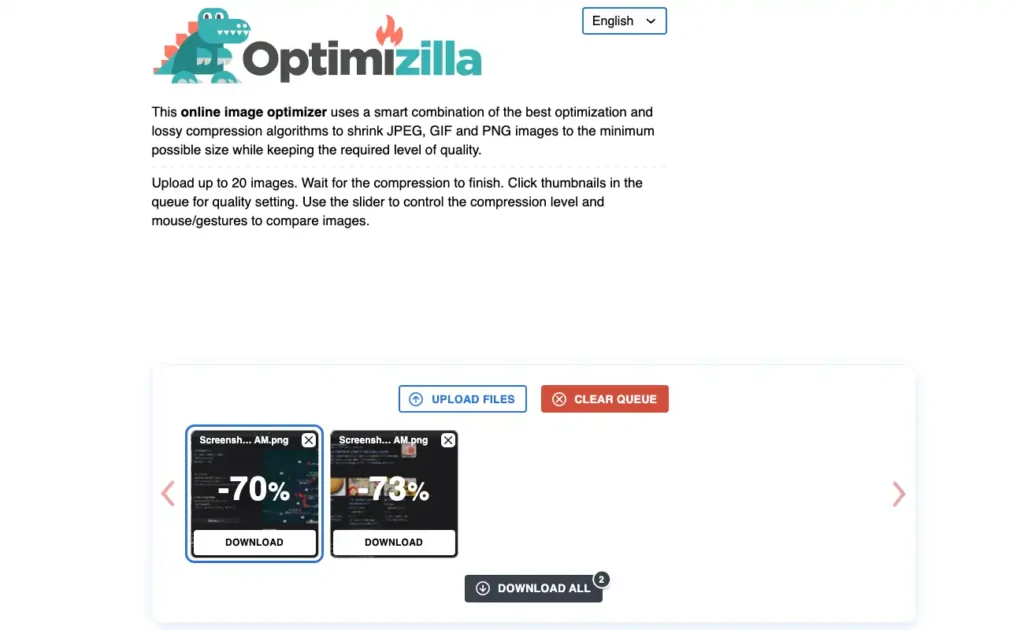
Images enhance content but need to be optimized to ensure they don’t slow down your website. This includes compressing the image file size without compromising quality and using ALT tags.
Image Optimization Best Practices
- Use relevant ALT tags for every image.
- Compress images to reduce load times.
- Choose descriptive filenames for your images.
- Serve images in next-gen formats like .webp.
What is Technical SEO?
Technical SEO zeroes in on the website’s infrastructure — it’s the foundation of a house. Technical SEO ensures that search engines can crawl, interpret, and index all the necessary pages of your site seamlessly.
Mobile Responsiveness

A vast number of users access websites from mobile devices. Mobile responsiveness ensures your website looks and functions well on all devices.
Mobile Responsiveness Best Practices
- Use a mobile-friendly design or theme.
- Test the website on various devices to ensure consistency.
- Prioritize ease of navigation for mobile users.
Website Speed
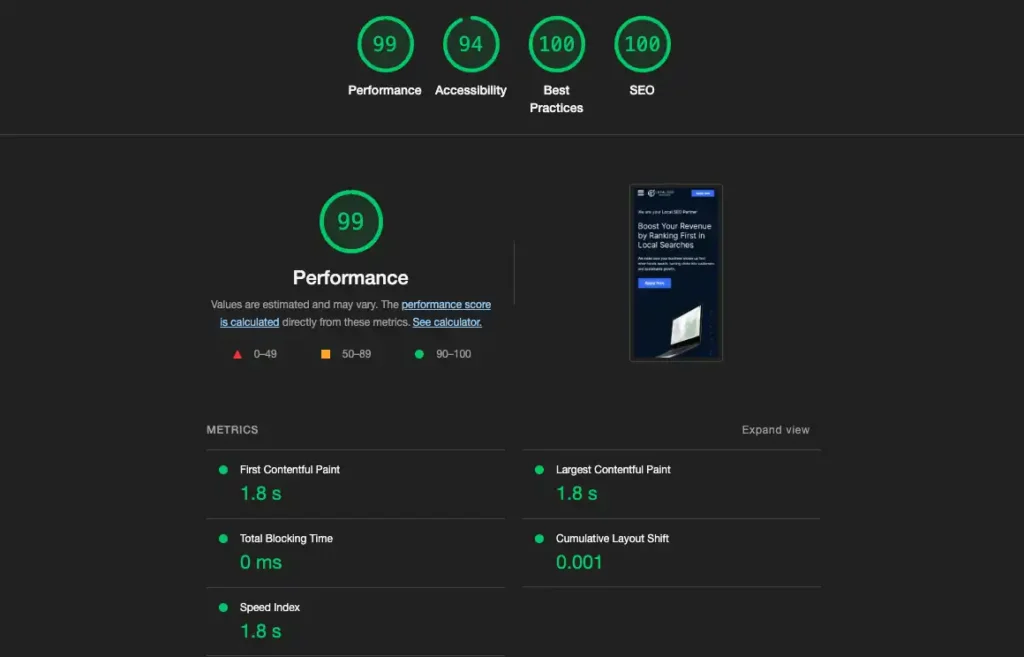
How quickly your website loads significantly affects user experience and search engine ranking. Tools like Google’s PageSpeed Insights or GTmetrix can help you test and optimize your site’s speed.
Website Speed Tips
- Optimize images with tools like ShortPixel.
- Leverage browser caching and optimize scripts.
- Consider using a CDN like Cloudflare.
XML Sitemap
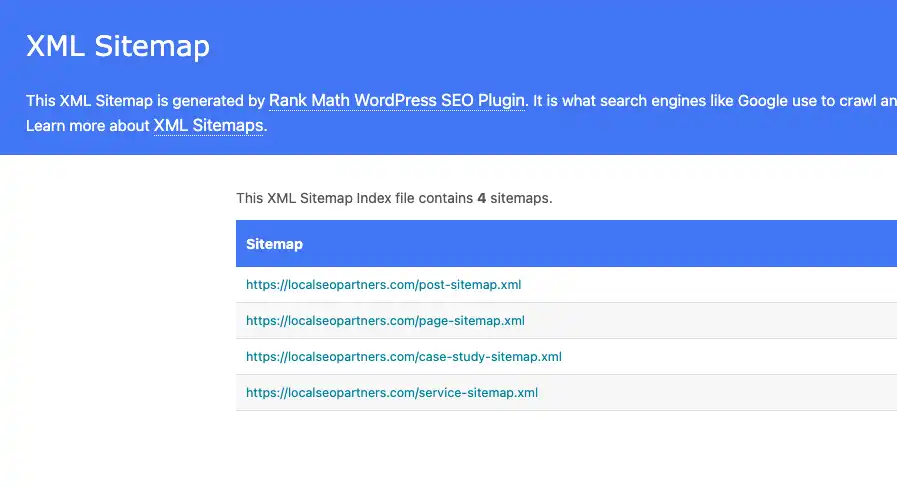
Think of an XML sitemap as a roadmap of your website, showing search engines the structure of your site, the importance of pages, and how often they’re updated.
XML Sitemap Best Practices
- Regularly update the sitemap as you add or remove pages.
- Submit the sitemap to search engines via Google Search Console.
- Ensure your sitemap is free of errors.
Robots.txt
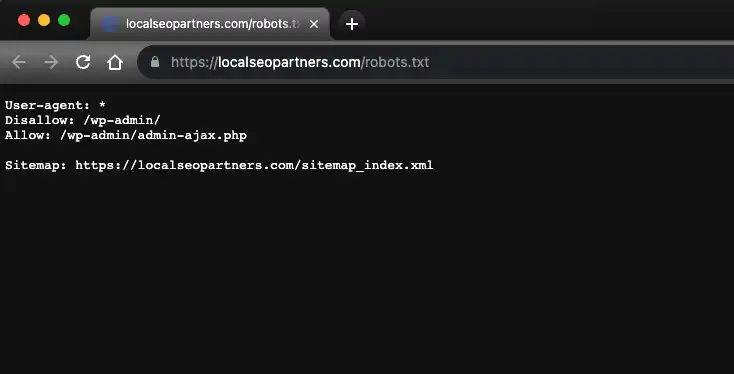
The robots.txt file tells search engines which parts of your website they should or shouldn’t crawl. Incorrect use can inadvertently hide your entire site.
Robots.txt Best Practices
- Make sure necessary pages aren’t being blocked.
- Regularly review and update the file as needed.
- Use Google Search Console to test and review your robots.txt.
Structured Data & Schema Markup
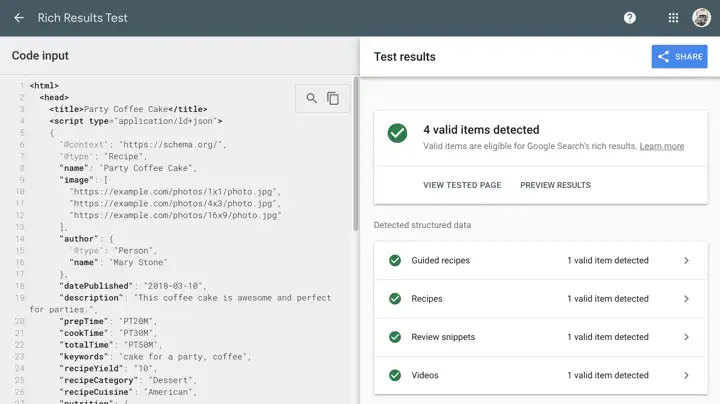
Structured data and schema markup provide search engines with more information about your website content. This can lead to rich results in search engines (like star ratings or images) which enhances visibility and can improve click-through rates.
Best Practices
- Use Google’s Structured Data Testing Tool to verify implementation.
- Implement relevant schema types for your content.
- Regularly update and check for errors.
HTTPS
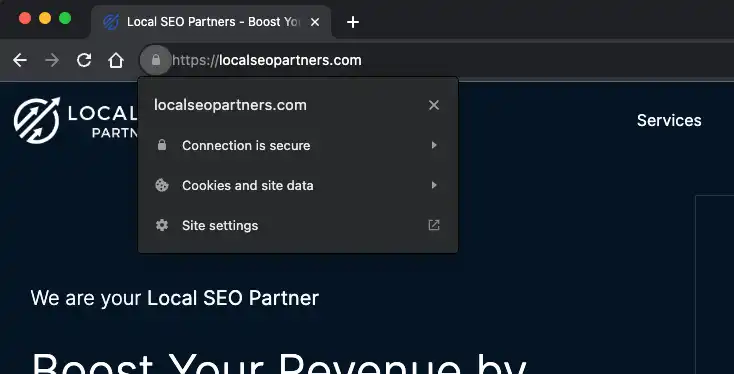
HTTPS ensures data between the user’s browser and the website is encrypted. It’s critical for website security and user trust.
HTTPS Best Practices
- Set a force redirect to the HTTPS version of your site.
- Ensure all links point to your HTTPS version.
404 Errors & Redirects

404 errors indicate a page was not found. Redirects, when done correctly, can guide users to the right location if a page’s URL changes.
Best Practices
- Regularly check your site for 404 errors and fix broken links.
- Use 301 redirects for permanently moved or deleted pages.
- Avoid chains of multiple redirects.
Practical First Steps to Improve Your Site’s SEO
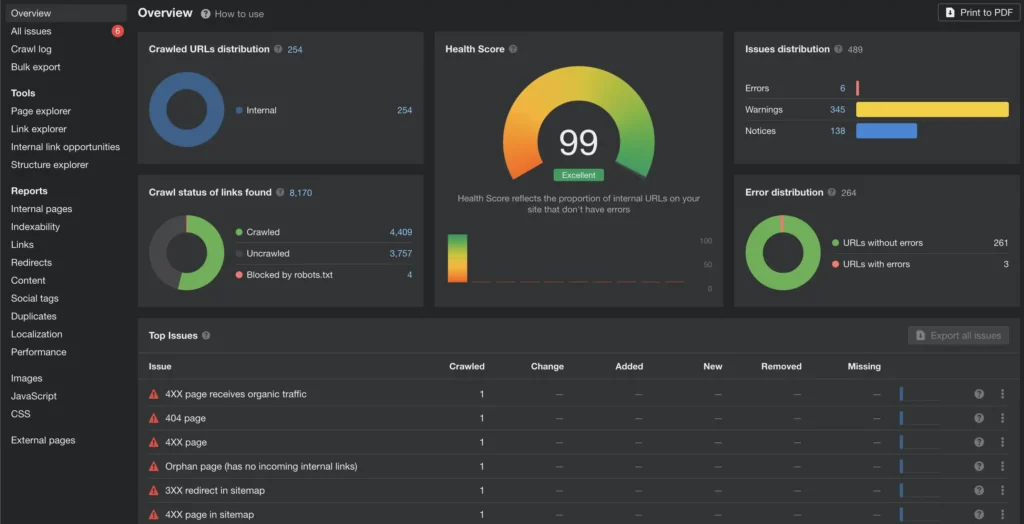
Perform an SEO Audit
Before diving into SEO, understand where your website currently stands. Tools like Google Search Console, SEMrush, or Ahrefs offer insights into issues that might be affecting your website’s visibility. An audit can reveal broken links, duplicate content, and speed optimization needs.
Regularly Update and Improve Website Content
Content is the heart of your website. Search engines love fresh, relevant, and valuable content. Regularly revisit and refresh existing content — updated statistics, improved product descriptions, and new insights all signal to search engines that your site is active.
Seek Expert Help for Technical Optimizations
If you find yourself uncertain about how to implement redirects, optimize your site for mobile devices, or handle other technical elements, don’t hesitate to seek professional assistance.
Stay Updated with the Latest SEO Trends
The digital landscape is ever-evolving, and SEO is no exception. Subscribe to industry-leading blogs, attend webinars, or participate in SEO forums. Staying informed positions your website for long-term success.
SEO Cannot Be Overlooked
Local businesses can no longer afford to overlook the power of SEO. A robust online presence isn’t just for global enterprises — every coffee shop, boutique, and local service provider can benefit profoundly from better online visibility.
In the bustling digital marketplace, SEO isn’t just an option — it’s a necessity. Prioritize it, and watch your local business thrive.